
Hardwipe

Securely Delete Files with Hardwipe for Windows

0.0
Download
Screenshot 1 Screenshot 2 Screenshot 3 Screenshot 4

App details

Updated
Mar 19, 2020
Language
Spanish,English,Russian,Polish
Developer
Big Angry Dog
Category
Mobile

Description

Download Hardwipe – Secure Data Deletion Tool for Windows

Overview

Hardwipe is a dedicated data deletion utility designed to permanently erase files, folders, and programs from hard drives, ensuring that no recoverable traces remain. The app addresses a critical need in digital privacy by preventing unauthorized access to deleted data, a growing concern in both personal and professional environments. It is particularly useful for individuals and organizations that handle sensitive information and require a reliable method to dispose of data securely. The developer, Ryan J. Boudreaux, has created a focused tool that prioritizes privacy without unnecessary complexity. Hardwipe is not a general-purpose file manager or backup utility but a specialized instrument for irreversible data removal. Its primary function is to overwrite deleted data multiple times using secure deletion algorithms, rendering recovery impossible even with advanced forensic tools. This makes it suitable for users preparing to sell, donate, or decommission devices. Real-world applications include protecting personal financial records, medical data, or business documents from exposure. In the broader software ecosystem, Hardwipe fills a niche gap between standard deletion and full disk encryption, offering a lightweight yet powerful solution for privacy-conscious users. The developer did not provide additional technical details about the underlying algorithms used.

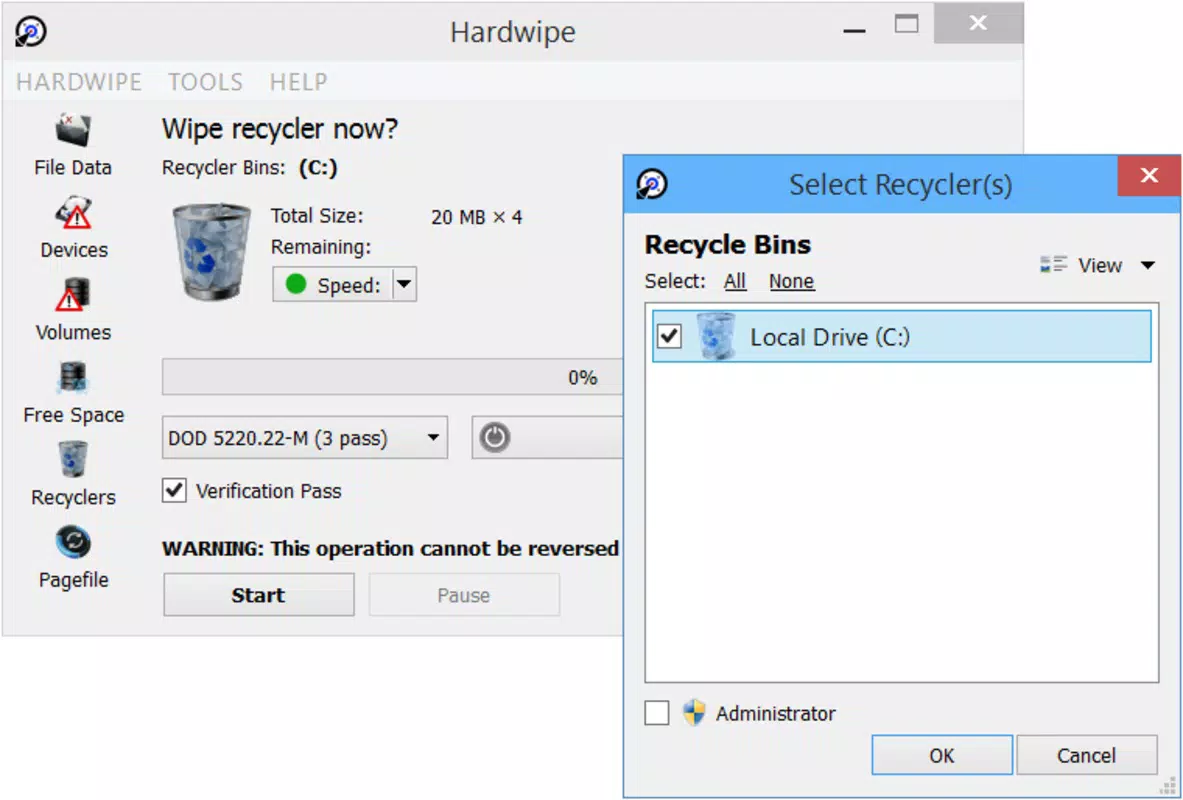
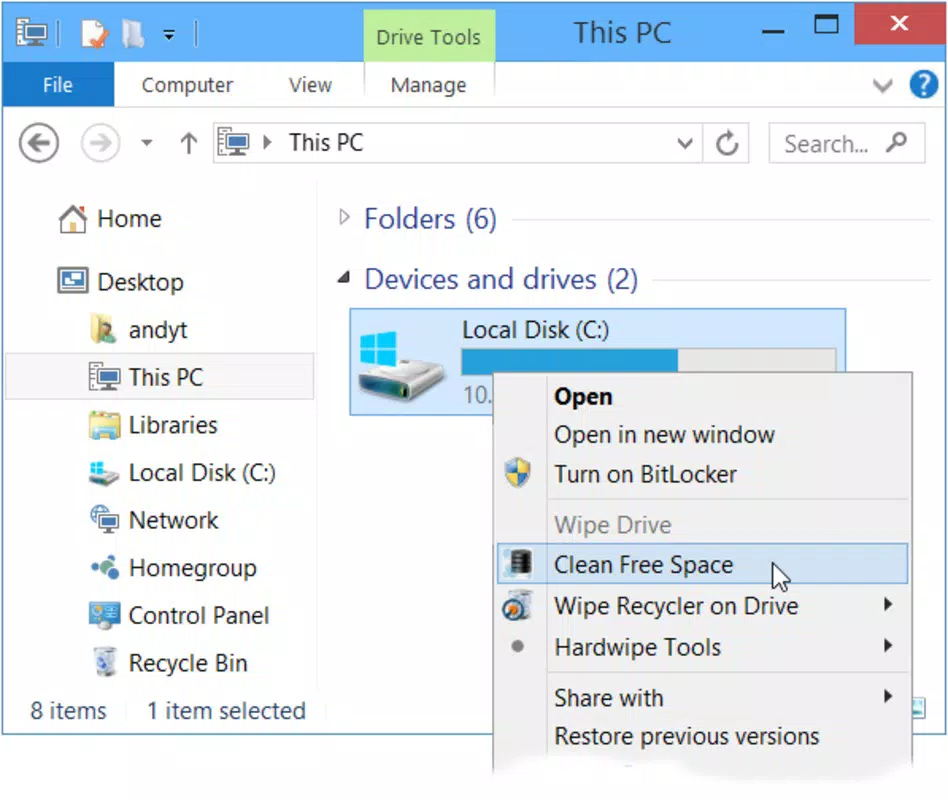
Key Features & Functionality Hardwipe offers a suite of targeted features designed around secure, irreversible data deletion. The core functionality centers on the secure deletion of individual files, folders, and entire disk volumes. Once selected, data undergoes a multi-pass overwrite process, ensuring that remnants are not recoverable through conventional or advanced recovery methods. This feature is especially valuable for users who need to comply with data protection regulations or simply want to maintain digital hygiene. A user-friendly interface is integrated to simplify the process, with a left-side navigation panel offering quick access to core actions: file/folder deletion, disk wiping, and free space purging. The rest of the interface displays relevant options and confirmation prompts, allowing users to review their choices before execution. The app provides full control over the deletion process, requiring explicit user confirmation before any data is overwritten. This safeguards against accidental data loss. The ability to purge free space is a standout feature, as it targets residual fragments left behind after previous deletions—data that may still be recoverable. This ensures a comprehensive cleanup of the entire drive. Each function is designed to be intuitive, minimizing the learning curve for non-technical users while maintaining robust security. The developer did not specify the exact number of overwrite passes used.

Interface, UX & Performance

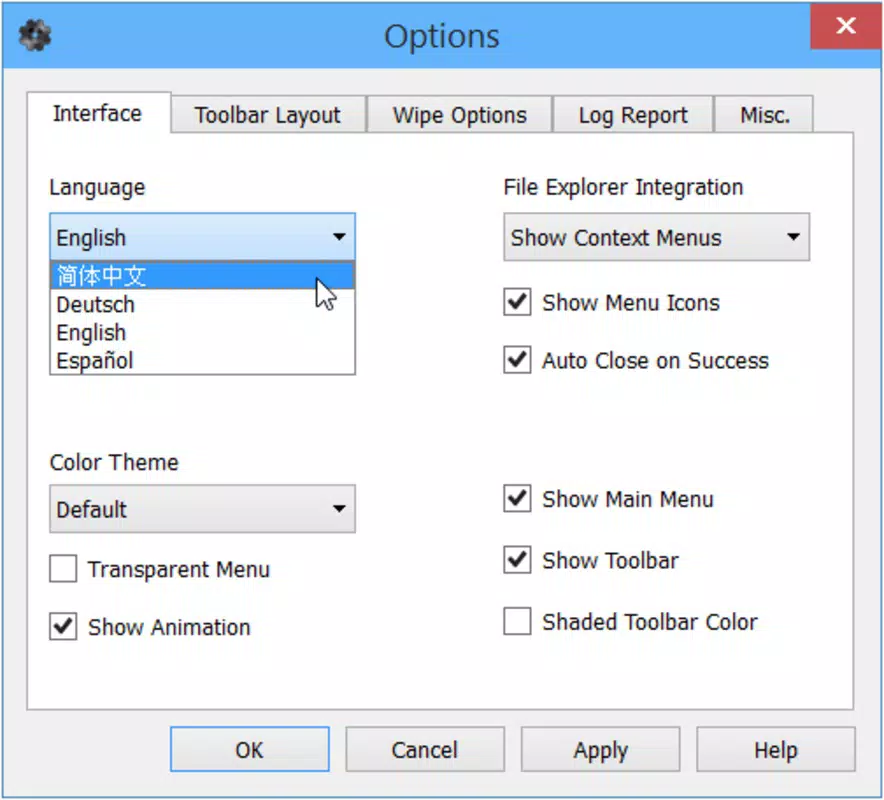
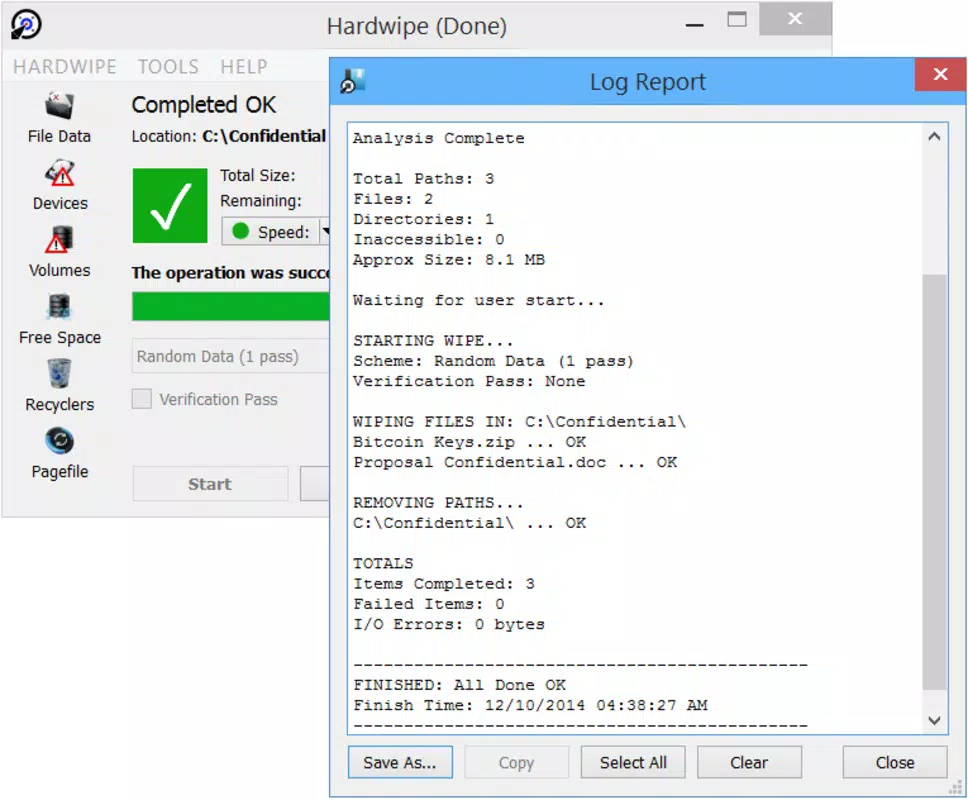
Hardwipe presents a clean, minimalist interface with a logical layout optimized for ease of use. The left column contains clearly labeled action buttons, including options to delete files, wipe disks, and clean free space, while the central area dynamically updates to display relevant settings and progress indicators. Navigation is straightforward, with minimal clutter and no distracting elements. The visual style is functional rather than decorative, focusing on clarity and usability. Users can easily select items for deletion, preview the list, and confirm actions before initiating the process. Although the developer did not list formal performance metrics, the app is designed to operate efficiently on standard Windows systems. It is expected to run smoothly on devices with average processing power and memory, without excessive resource consumption. Responsiveness is maintained during the deletion process, with real-time feedback on progress and completion status. Stability appears to be a priority, as the app does not include features that could introduce system instability. The developer did not specify compatibility with older Windows versions or low-end hardware. No reports of crashes or freezes were provided.

Platform Compatibility & Technical Requirements

Hardwipe is available exclusively for the Windows platform. It is designed to run on Windows operating systems, though the specific version requirements were not disclosed by the developer. The app has a file size of 20.5 MB, indicating a lightweight footprint that should not significantly impact system storage. The application is free to download and use, with no in-app purchases or subscription models. No additional software dependencies were mentioned. The developer did not specify minimum OS requirements, hardware specifications, or compatibility with legacy systems. As such, users should ensure their system meets general Windows standards for application execution. The app is not available on mobile platforms such as Android or iOS. Users are advised to verify compatibility with their current Windows environment before installation.

Pros and Cons

  • Lightweight design with a small file size of 20.5 MB
  • Free to download and use with no hidden costs
  • Simple, intuitive interface suitable for non-technical users
  • Offers secure deletion with full control over the process
  • Includes free space purging to eliminate residual data fragments
  • Focuses solely on privacy and data irreversibility
  • Developer did not specify the number of overwrite passes used
  • No information on compatibility with older Windows versions
  • Not available on mobile platforms like Android or iOS
  • Platform-specific to Windows only
  • Developer did not provide detailed system requirements

FAQ

Is Hardwipe safe to use for deleting sensitive files?

Hardwipe is designed to securely delete files using overwrite methods that prevent recovery. It is considered safe for sensitive data when used as intended.

Can I recover files after using Hardwipe?

Once files are processed by Hardwipe, they are overwritten and cannot be recovered using standard or advanced recovery tools.

Does Hardwipe work on all versions of Windows?

The developer did not specify minimum OS requirements. Users should ensure their system meets general Windows application standards.

Is Hardwipe available for Android or iOS?

No, Hardwipe is currently only available for the Windows platform.

Do I need to pay to use Hardwipe?

No, the app is free to download and use with no in-app purchases or subscription fees.

Final Thoughts

Hardwipe delivers a focused, reliable solution for users seeking complete data privacy through irreversible deletion. Its clean interface, control over the deletion process, and inclusion of free space purging make it a practical tool for anyone concerned about digital footprints. While it lacks some technical transparency—such as the number of overwrite passes or detailed system requirements—it remains a trustworthy option for Windows users. The app is especially beneficial for individuals preparing to sell or recycle devices, or professionals handling confidential data. With no cost and a lightweight design, Hardwipe offers strong value for its purpose. For those who prioritize privacy and want a no-frills, secure deletion tool, Hardwipe is a solid choice. Download Hardwipe now.

TotalVirus Scanned

This software has been scanned for malware and verified safe for download.

SoftPas in:

This product is also available in the following languages:

Guides & Tutorials for Hardwipe

How to install Hardwipe
  1. Click the Preview / Download button above.
  2. Once redirected, accept the terms and click Install.
  3. Wait for the Hardwipe download to finish on your device.
How to use Hardwipe

This software is primarily used for its core features described above. Open the app after installation to explore its capabilities.

User Reviews for Hardwipe 0

    No reviews found

Similar Apps

Recommended Apps

YouGooDai

YouGooDai

Mobile

Download Apps
Xe FlashPlayer

Xe FlashPlayer

Mobile

Download Apps
XPlayer

XPlayer

Mobile

Download Apps
Windows Media Player 9 Series

Windows Media Player 9 Series

Mobile

Download Apps
Windows Media Player

Windows Media Player

Mobile

Download Apps